Ubiquiti AI Theta

Ubiquiti / UVC-AI-Theta

Last checked

Ubiquiti UniFi AI Theta
Image: Ubiquiti

Does the Ubiquiti AI Theta work with HomeKit, Alexa, and Google Home?

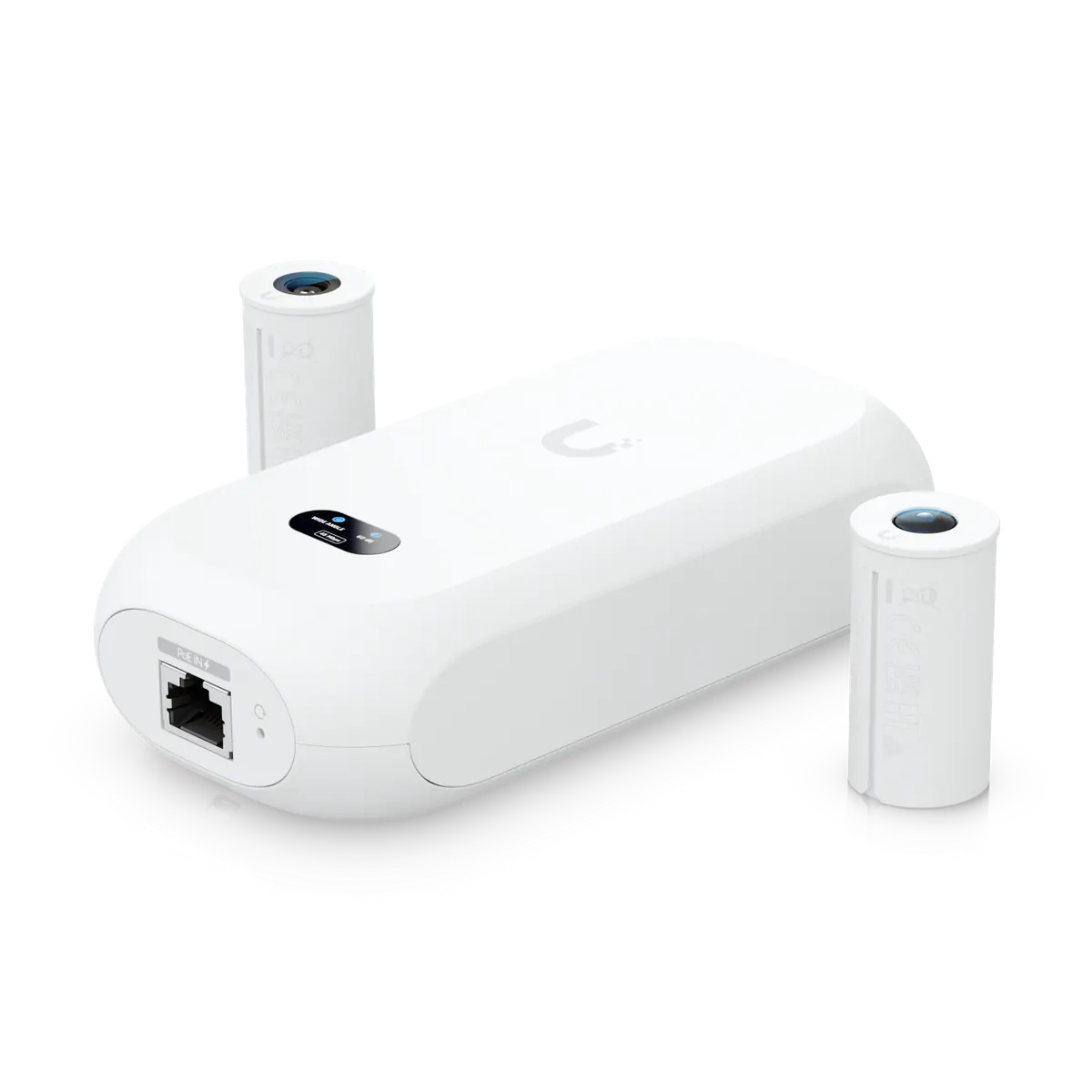
The AI Theta splits into a PoE hub and a separate lens.

It is a 4K modular camera that recognizes faces and license plates on the camera. It suits Home Assistant users, with native support through the maker's hub.

At a glance: works withHow this is decided: cited platform facts only
HomeKit
Unknown
Unknown
Google Home
Unknown
Unknown
Alexa
Unknown
Unknown
SmartThings
Unknown
Unknown
Home Assistant
Yes[1]
Proprietary + hub, native

Key facts

Ubiquiti AI Theta facts

How facts are sourced: every cell cites its source below
Ubiquiti AI Theta facts
FactValue
StatusCurrent[2]
List price$299[3] as of
GenerationAI series[2][4]
SeriesAI Theta[2][4]
Form factorcompact modular (hub + lens)[2][4]
Resolution4k; UVC-AI-Theta-Lens: 8MP 3264 x 2448 (4:3); UVC-AI-Theta-Lens-360: 6MP 2560 x 2560 (1:1)[4]
SensorUVC-AI-Theta-Lens: 8MP CMOS; UVC-AI-Theta-Lens-360: 12MP CMOS[4]
LensFixed focal length[4]
Field of viewH: 97.5°, V: 79.4°, D: 118.2°[4]
PowerPoE[4]
Maximum power12.5W[4]
NetworkGbE RJ45 port[4]
Smart detectionsyes (people, vehicles, animals)[4]
Face recognitionyes [With Wide-Angle and Long Distance Lens][4]
AudioTwo-way audio with optional AI Theta Audio[4]
DimensionsUVC-AI-Theta-Hub: 140 x 70 x 38 mm (5.5 x 2.8 x 1.5”). UVC-AI-Theta-Lens/360: ⌀22.8. x 43.5 mm (⌀0.9 x 1.7”)[4]
MountingIncluded: Wall, ceiling, flush mount. Optional: Angle mount.[4]
AI detection typesG6 and AI Series: person, vehicle, and vehicle type and color on camera. Face recognition and LPR on camera, except 360 models. Line crossing except on PTZ.[5]
How to identify itModel UVC-AI-Theta. Compact modular (hub + lens) camera, AI series.[4]
First seen2023-09-24[6]
Releasedunknown
US availabilityAvailable[2]

Integration paths

How the Ubiquiti AI Theta connects

1 pathHow facts are sourced: every cell cites its source below
How the Ubiquiti AI Theta connects
PathRequiresiLocaliFeatures lostPlatformsi
Proprietary + hub, needs HUBUniFi Console running UniFi Protect[7]unknownunknown
About these columns
Requires
Hardware the path needs beyond the device and a controller.
Local
Yes when control on this path keeps working with the internet down.
Platforms
The platforms that work with the device on this path: Native (out of the box), Via integration (needs an add-on) or Not supported.

Home Assistant and Homey

Ways to add the Ubiquiti AI Theta

2 routesHow facts are sourced: every cell cites its source below
Ways to add the Ubiquiti AI Theta
PlatformLeveliIntegrationDetailsEvidenceLimitations
Home AssistantNative (local)[1]unifiprotectProprietary + hub
  • Quality: Platinum[1]
  • IoT class: Local Push[1]
  • Works with Home Assistant: Not certified[1]
Vendor system covered, model not namedLimited: Needs UniFi Protect on a UniFi OS Console (Protect 7.2.105 or later); a local user and an API key are required[1]
HomeyCommunity app[8]com.ubnt.unifiprotectProprietary + hub
  • App: Community[8]
  • Runs on: Homey Pro[8]
Product line namedNone stated
About these columns
Level
How the device gets into the platform on this route. The headline is the best route: local before cloud, direct before bridged, core before community. The methodology page lists every level.

Cite this page

Ubiquiti AI Theta. Smart Home Canon. https://smarthomecanon.com/devices/unifi-ai-theta. Last checked 2026-10-20.
Sources

  1. [1]
    DOChome-assistant.io / UniFi Protect - Home Assistant
    Accessed Back to text
  2. [2]
    MFRstore.ui.com / UI Store US: Physical Security category
    Accessed Back to text
  3. [3]
    MFRstore.ui.com / UniFi US store: AI Theta
    Accessed Back to text
  4. [4]
    MFRtechspecs.ui.com / UniFi Tech Specs: Camera AI Theta (UVC-AI-Theta)
    Accessed Back to text
  5. [5]
    MFRhelp.ui.com / UniFi Protect Cameras - AI Detections and Facial Recognition (help.ui.com)
    Accessed Back to text
  6. [6]
    MFRweb.archive.org / Archived copy of the store.ui.com US product page (uvc-ai-theta), 2023-09-24
    Accessed Back to text
  7. [7]
    MFRhelp.ui.com / Getting Started with UniFi Protect (help.ui.com)
    Accessed Back to text
  8. [8]
    DOChomey.app / Homey App Store: Ubiquiti UniFi Protect and Access
    Accessed Back to text