Ubiquiti AI LPR

Ubiquiti / UVC-AI-LPR-B, UVC-AI-LPR

Last checked

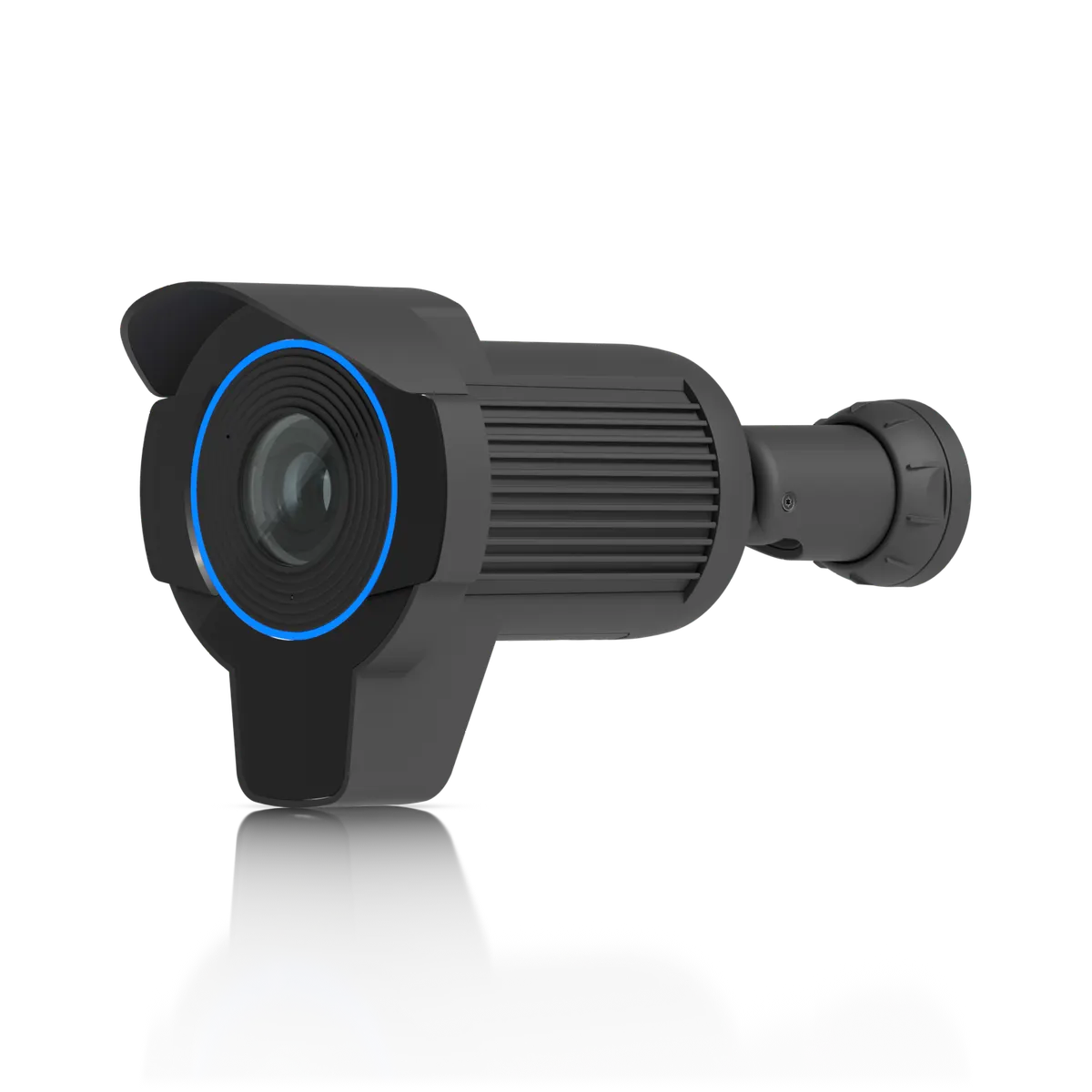
Ubiquiti UniFi AI LPR
Image: Ubiquiti

Does the Ubiquiti AI LPR work with HomeKit, Alexa, and Google Home?

The AI LPR is built to read license plates, and it reads them on the camera.

It is a 4K bullet camera on PoE+ with 15 m of infrared night vision. It suits Home Assistant users, with native support through the maker's hub.

At a glance: works withHow this is decided: cited platform facts only
HomeKit
Unknown
Unknown
Google Home
Unknown
Unknown
Alexa
Unknown
Unknown
SmartThings
Unknown
Unknown
Home Assistant
Yes[1]
Proprietary + hub, native

Key facts

Ubiquiti AI LPR facts

How facts are sourced: every cell cites its source below
Ubiquiti AI LPR facts
FactValue
StatusCurrent[2]
List price$499[3] as of
GenerationAI series[2][4]
Form factorbullet (license plate)[2][4]
Resolution4K (8MP, 3840 x 2160, 16:9)[4]
Sensor1/1.8" 8MP[4]
LensF 4.1–12.3 mm; ƒ/1.53–ƒ/3.3[4]
Field of viewWide: H 109.9°, V 60°, D 127.7°; Tele: H 35°, V 19.8°, D 40°[4]
Zoom3x Optical[4]
PowerPoE+[4]
Maximum power25.5W[4]
NetworkGbE RJ45 port[4]
IR range15 m (50 ft)[4]
Smart detectionsyes (people, vehicles, animals)[4]
License platesyes [Optimized for night time and high vehicle speeds][4]
AudioMicrophone[4]
WeatherproofingIP66[4]
Tamper ratingIK04[4]
Onboard storageMicro SD memory card [Requires a memory card with at least 64GB of storage][4]
Dimensions130 x 151.4 x 302.9 mm (5.1 x 6 x 11.9")[4]
MountingIncluded: Wall, ceiling, pole mount. Optional: Junction box, angled base.[4]
AI detection typesG6 and AI Series: person, vehicle, and vehicle type and color on camera. Face recognition and LPR on camera, except 360 models. Line crossing except on PTZ.[5]
How to identify itModel UVC-AI-LPR-B or UVC-AI-LPR. Bullet (license plate) camera, AI series.[4]
First seen2025-01-09[6]
Releasedunknown
US availabilityAvailable[2]

Integration paths

How the Ubiquiti AI LPR connects

1 pathHow facts are sourced: every cell cites its source below
How the Ubiquiti AI LPR connects
PathRequiresiLocaliFeatures lostPlatformsi
Proprietary + hub, needs HUBUniFi Console running UniFi Protect[7]unknownunknown
About these columns
Requires
Hardware the path needs beyond the device and a controller.
Local
Yes when control on this path keeps working with the internet down.
Platforms
The platforms that work with the device on this path: Native (out of the box), Via integration (needs an add-on) or Not supported.

Home Assistant and Homey

Ways to add the Ubiquiti AI LPR

2 routesHow facts are sourced: every cell cites its source below
Ways to add the Ubiquiti AI LPR
PlatformLeveliIntegrationDetailsEvidenceLimitations
Home AssistantNative (local)[1]unifiprotectProprietary + hub
  • Quality: Platinum[1]
  • IoT class: Local Push[1]
  • Works with Home Assistant: Not certified[1]
Vendor system covered, model not namedLimited: Needs UniFi Protect on a UniFi OS Console (Protect 7.2.105 or later); a local user and an API key are required[1]
HomeyCommunity app[8]com.ubnt.unifiprotectProprietary + hub
  • App: Community[8]
  • Runs on: Homey Pro[8]
Product line namedNone stated
About these columns
Level
How the device gets into the platform on this route. The headline is the best route: local before cloud, direct before bridged, core before community. The methodology page lists every level.

Cite this page

Ubiquiti AI LPR. Smart Home Canon. https://smarthomecanon.com/devices/unifi-ai-lpr. Last checked 2026-10-20.
Sources

  1. [1]
    DOChome-assistant.io / UniFi Protect - Home Assistant
    Accessed Back to text
  2. [2]
    MFRstore.ui.com / UI Store US: Physical Security category
    Accessed Back to text
  3. [3]
    MFRstore.ui.com / UniFi US store: AI LPR
    Accessed Back to text
  4. [4]
    MFRtechspecs.ui.com / UniFi Tech Specs: Camera AI LPR (UVC-AI-LPR)
    Accessed Back to text
  5. [5]
    MFRhelp.ui.com / UniFi Protect Cameras - AI Detections and Facial Recognition (help.ui.com)
    Accessed Back to text
  6. [6]
    MFRweb.archive.org / Archived copy of the store.ui.com US product page (uvc-ai-lpr), 2025-01-09
    Accessed Back to text
  7. [7]
    MFRhelp.ui.com / Getting Started with UniFi Protect (help.ui.com)
    Accessed Back to text
  8. [8]
    DOChomey.app / Homey App Store: Ubiquiti UniFi Protect and Access
    Accessed Back to text