Reolink E1 Outdoor Pro

Reolink

Last checked

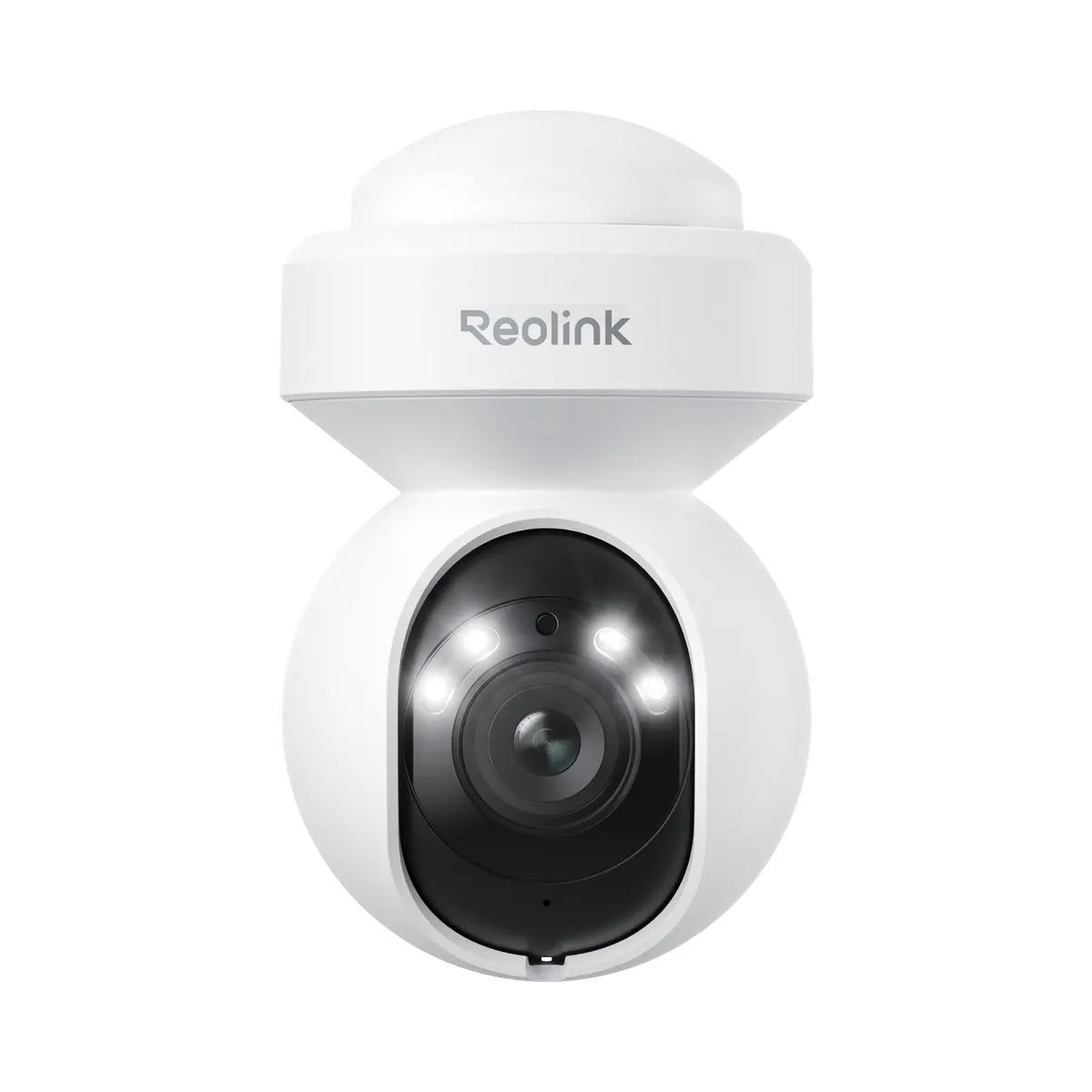
Reolink E1 Outdoor Pro, front view
Image: Reolink press materials

Does the Reolink E1 Outdoor Pro work with HomeKit, Alexa, and Google Home?

The E1 Outdoor Pro pans and tilts at 8MP and plugs in for power.

It supports RTSP and ONVIF over Wi-Fi. It suits Google Home users, with native support through the maker's cloud. Home Assistant users get native support through local Wi-Fi control. It does not support HomeKit.

At a glance: works withHow this is decided: cited platform facts only
HomeKit
No[1]
Not supported
Google Home
Yes[2]
Wi-Fi cloud, native
Alexa
Unknown
Unknown
SmartThings
Unknown
Unknown
Home Assistant
Yes[3]
Wi-Fi local, native

Key facts

Reolink E1 Outdoor Pro facts

How facts are sourced: every cell cites its source below
Reolink E1 Outdoor Pro facts
FactValue
StatusCurrent[2]
List price$149.99[4] as of
SeriesE1[2]
ConnectionWi-Fi, plug-in/wired DC power. Also has a 10/100 RJ45 Ethernet port.[2]
Cable designtail cable (pigtail)[2][5] (Reolink calls this the tail cable (pigtail). It is 0.5 to 0.7 m long. Weatherproof caps go on the network cable outdoors.)
Cable leadspower, network[2][5]
Waterproof lidunknown
PowerDC 12.0V/1A[2]
Lenspan-tilt, 3X optical zoom[2] (f=2.8-8mm, Max: F1.6.)
IP ratingIP65[2]
Resolution3840x2160 (8MP)[2]
microSD max512GB[2]
RTSP / ONVIFRTSP and ONVIF[2]
Smart homeGoogle Assistant[2]
Releasedunknown

Integration paths

How the Reolink E1 Outdoor Pro connects

2 pathsHow facts are sourced: every cell cites its source below
How the Reolink E1 Outdoor Pro connects
PathRequiresiLocaliFeatures lostPlatformsi
Wi-Fi localNothing extra[2] (The camera serves its own RTSP stream on the local network.)Yes[2] (RTSP is served on the local network.)unknown
Wi-Fi cloudunknownunknownunknown
About these columns
Requires
Hardware the path needs beyond the device and a controller.
Local
Yes when control on this path keeps working with the internet down.
Platforms
The platforms that work with the device on this path: Native (out of the box), Via integration (needs an add-on) or Not supported.

Home Assistant and Homey

Ways to add the Reolink E1 Outdoor Pro

2 routesHow facts are sourced: every cell cites its source below
Ways to add the Reolink E1 Outdoor Pro
PlatformLeveliIntegrationDetailsEvidenceLimitations
Home AssistantNative (local)[3]reolinkWi-Fi local
  • Quality: Platinum[3]
  • IoT class: Local Push[3]
  • Works with Home Assistant: Not certified[3]
Model namedNone stated
HomeyOfficial app (local)[6]com.reolinkWi-Fi local
  • App: Official[6]
  • Runs on: Homey Pro[6]
Product line namedNone stated
About these columns
Level
How the device gets into the platform on this route. The headline is the best route: local before cloud, direct before bridged, core before community. The methodology page lists every level.

Cite this page

Reolink E1 Outdoor Pro. Smart Home Canon. https://smarthomecanon.com/devices/reolink-e1-outdoor-pro. Last checked 2026-10-20.
Sources

  1. [1]
    MFRsupport.reolink.com / Unterstuetzen Reolink Kameras HomeKit (German)
    Accessed Back to text
  2. [2]
    MFRreolink.com / Reolink US product page: E1 Outdoor Pro
    Accessed Back to text
  3. [3]
    DOChome-assistant.io / Home Assistant: Reolink integration
    Accessed Back to text
  4. [4]
    MFRstore.reolink.com / Reolink US store: E1 Outdoor Pro
    Accessed Back to text
  5. [5]
    MFRsupport.reolink.com / Reolink Support: Introduction to the Tail Cables of Reolink Bullet and Dome Cameras
    Accessed Back to text
  6. [6]
    DOChomey.app / Homey App Store: Reolink
    Accessed Back to text