Reolink Duo 2 WiFi

Reolink

Last checked

Newer in the same series: Duo 3 WiFi.[1]

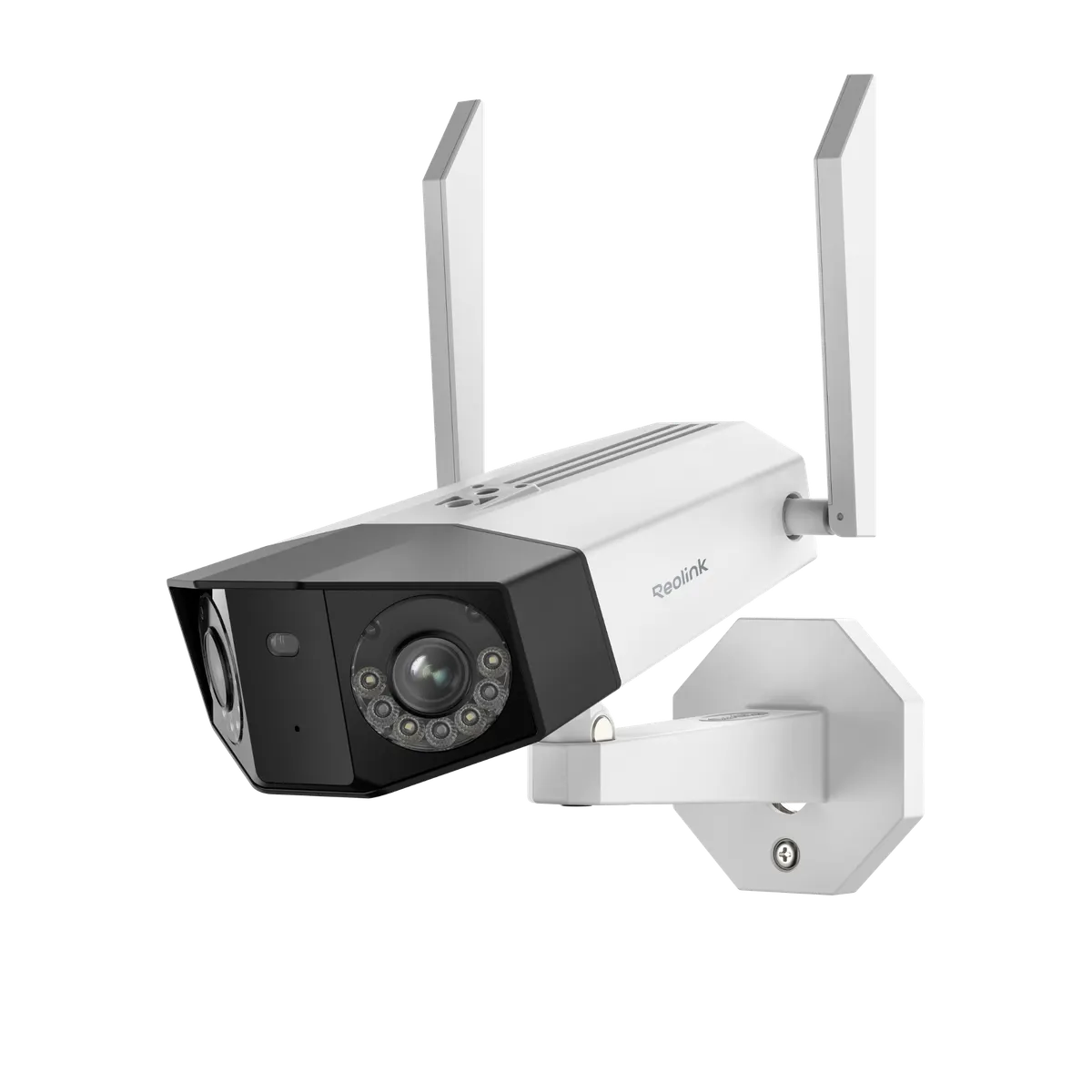
Reolink Duo 2 WiFi, three-quarter view
Image: Reolink press materials

Does the Reolink Duo 2 WiFi work with HomeKit, Alexa, and Google Home?

The Duo 2 WiFi plugs in for power and joins Wi-Fi.

It is an 8MP dual-lens camera that supports RTSP and ONVIF. It suits Google Home users, with native support through the maker's cloud. Home Assistant users get native support through local Wi-Fi control. It does not support HomeKit.

At a glance: works withHow this is decided: cited platform facts only
HomeKit
No[2]
Not supported
Google Home
Yes[3]
Wi-Fi cloud, native
Alexa
Unknown
Unknown
SmartThings
Unknown
Unknown
Home Assistant
Yes[4]
Wi-Fi local, native

Key facts

Reolink Duo 2 WiFi facts

How facts are sourced: every cell cites its source below
Reolink Duo 2 WiFi facts
FactValue
StatusCurrent[3]
List price$149.99[5] as of
SeriesDuo[3]
ConnectionWi-Fi, plug-in/wired DC power. Also has a 10/100 RJ45 Ethernet port.[3]
Cable designtail cable (pigtail)[3][6] (Reolink calls this the tail cable (pigtail). It is 0.5 to 0.7 m long. Weatherproof caps go on the network cable outdoors.)
Cable leadspower, network[3][6]
Waterproof lidyes[3]
PowerDC 12.0V/2A[3]
Lensdual lens[3]
IP ratingIP67[3]
Resolution4608x1728 (8MP)[3]
microSD max512GB[3]
RTSP / ONVIFRTSP and ONVIF[3]
Smart homeGoogle Assistant[3]
Released2022-08-18[7]

Integration paths

How the Reolink Duo 2 WiFi connects

2 pathsHow facts are sourced: every cell cites its source below
How the Reolink Duo 2 WiFi connects
PathRequiresiLocaliFeatures lostPlatformsi
Wi-Fi localNothing extra[3] (The camera serves its own RTSP stream on the local network.)Yes[3] (RTSP is served on the local network.)unknown
Wi-Fi cloudunknownunknownunknown
About these columns
Requires
Hardware the path needs beyond the device and a controller.
Local
Yes when control on this path keeps working with the internet down.
Platforms
The platforms that work with the device on this path: Native (out of the box), Via integration (needs an add-on) or Not supported.

Home Assistant and Homey

Ways to add the Reolink Duo 2 WiFi

2 routesHow facts are sourced: every cell cites its source below
Ways to add the Reolink Duo 2 WiFi
PlatformLeveliIntegrationDetailsEvidenceLimitations
Home AssistantNative (local)[4]reolinkWi-Fi local
  • Quality: Platinum[4]
  • IoT class: Local Push[4]
  • Works with Home Assistant: Not certified[4]
Model namedNone stated
HomeyOfficial app (local)[8]com.reolinkWi-Fi local
  • App: Official[8]
  • Runs on: Homey Pro[8]
Product line namedNone stated
About these columns
Level
How the device gets into the platform on this route. The headline is the best route: local before cloud, direct before bridged, core before community. The methodology page lists every level.
Releases

  1. 2022
    1. Released [7]

Cite this page

Reolink Duo 2 WiFi. Smart Home Canon. https://smarthomecanon.com/devices/reolink-duo-2-wifi. Last checked 2026-10-20.

Sources

  1. [1]
    MFRreolink.com / Reolink Duo 2 WiFi vs Duo 3 WiFi
    Accessed Back to text
  2. [2]
    MFRsupport.reolink.com / Unterstuetzen Reolink Kameras HomeKit (German)
    Accessed Back to text
  3. [3]
    MFRreolink.com / Reolink US product page: Reolink Duo 2 WiFi
    Accessed Back to text
  4. [4]
    DOChome-assistant.io / Home Assistant: Reolink integration
    Accessed Back to text
  5. [5]
    MFRstore.reolink.com / Reolink US store: Duo 2 WiFi
    Accessed Back to text
  6. [6]
    MFRsupport.reolink.com / Reolink Support: Introduction to the Tail Cables of Reolink Bullet and Dome Cameras
    Accessed Back to text
  7. [7]
    MFRreolink.com / Reolink releases Duo 2 4K panorama cameras (Wilmington, Del., August 18, 2022)
    Accessed Back to text
  8. [8]
    DOChomey.app / Homey App Store: Reolink
    Accessed Back to text