Google Nest Doorbell (battery)

Google

Last checked

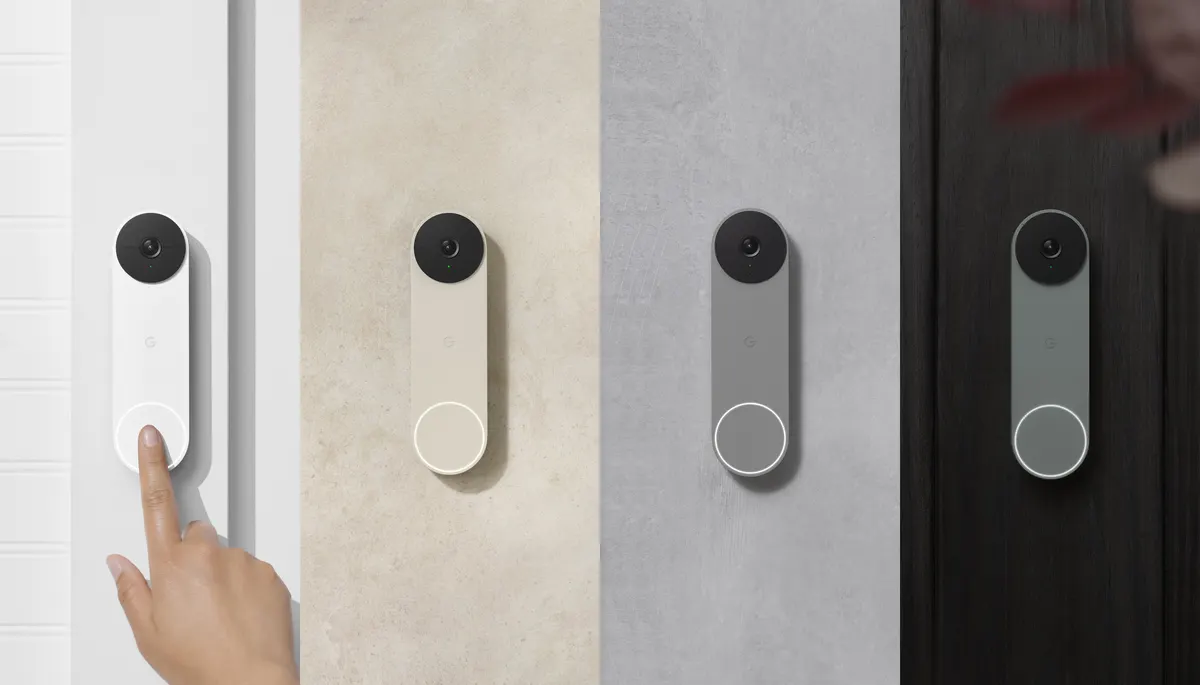
Google Nest Doorbell (battery) in four colors
Image: Google press materials (Source: Google)

Does the Google Nest Doorbell (battery) work with HomeKit, Alexa, and Google Home?

The Nest Doorbell (battery) cannot record 24/7 and needs the Google Home app.

It is an HD video doorbell that runs on its rechargeable battery or on 8 to 24 VAC doorbell wiring, and it connects over Wi-Fi. It suits Google Home users, with native support through the maker's cloud. Alexa and Home Assistant users reach it through an integration (the maker's cloud).

At a glance: works withHow this is decided: cited platform facts only
HomeKit
Unknown
Unknown
Google Home
Yes[1]
Wi-Fi cloud, native
Alexa
Wi-Fi cloud, via integration
SmartThings
Unknown
Unknown
Home Assistant
Wi-Fi cloud, via nest

Key facts

Google Nest Doorbell (battery) facts

How facts are sourced: every cell cites its source below
Google Nest Doorbell (battery) facts
FactValue
StatusCurrent[5]
List price$199.99[1] as of
TypeDoorbell[1]
WhereFront door, IP54[1]
Released2021-08-24[6] (Announced 2021-08-05.)
VideoHD 960 x 1280, 3:4, 30 fps, HDR, H.264[1]
Field of view145 degrees diagonal[1]
PowerBuilt-in 6 Ah rechargeable battery, or existing 8 to 24 VAC doorbell wiring. The wired chime rings only when wired.[1]
RadioWi-Fi 2.4 and 5 GHz, Bluetooth LE[1]
History without a plan3 hours of event video history. No 24/7 recording.[1]
AlexaYes, through the Google Nest skill[1][2]

Integration paths

How the Google Nest Doorbell (battery) connects

1 pathHow facts are sourced: every cell cites its source below
How the Google Nest Doorbell (battery) connects
PathRequiresiLocaliFeatures lostPlatformsi
Wi-Fi cloudWi-Fi network, Google Home app, Google Account[1]unknownunknown
About these columns
Requires
Hardware the path needs beyond the device and a controller.
Local
Yes when control on this path keeps working with the internet down.
Platforms
The platforms that work with the device on this path: Native (out of the box), Via integration (needs an add-on) or Not supported.

Home Assistant and Homey

Ways to add the Google Nest Doorbell (battery)

2 routesHow facts are sourced: every cell cites its source below
Ways to add the Google Nest Doorbell (battery)
PlatformLeveliIntegrationDetailsEvidenceLimitations
Home AssistantNative (cloud)[3][4]nestWi-Fi cloud
  • Quality: No score[3][4]
  • IoT class: Cloud Push[3][4]
  • Works with Home Assistant: Not certified[3][4]
Model namedLimited: Needs a one-time US$5 Device Access fee and a Google Cloud project; Google Workspace accounts are not supported[3][4]
HomeyOfficial app (cloud)[7]com.google.nestWi-Fi cloud
  • App: Official[7]
  • Runs on: Homey Pro, Homey Cloud[7]
Product line namedNone stated
About these columns
Level
How the device gets into the platform on this route. The headline is the best route: local before cloud, direct before bridged, core before community. The methodology page lists every level.
Releases

  1. 2021
    1. Announced [6]

      Launch price $179.99.

    2. Released [6]

Cite this page

Google Nest Doorbell (battery). Smart Home Canon. https://smarthomecanon.com/devices/google-nest-doorbell-battery. Last checked 2026-10-20.

Sources

  1. [1]
    MFRstore.google.com / Google Store (US): Nest Doorbell (battery) installation and tech specs
    Accessed Back to text
  2. [2]
    MFRsupport.google.com / Google Home and Nest Help: Control Google Nest products with Amazon Alexa
    Accessed Back to text
  3. [3]
    DOChome-assistant.io / Home Assistant: Google Nest integration
    Accessed Back to text
  4. [4]
    MFRdevelopers.google.com / Google Nest Device Access: supported devices
    Accessed Back to text
  5. [5]
    MFRstore.google.com / Google Store (US): Nest Doorbell (battery)
    Accessed Back to text
  6. [6]
    MFRblog.google / Google blog, 5 Aug 2021: New from Google Nest: the latest Cams and Doorbells are here
    Accessed Back to text
  7. [7]
    DOChomey.app / Homey App Store: Google Nest
    Accessed Back to text