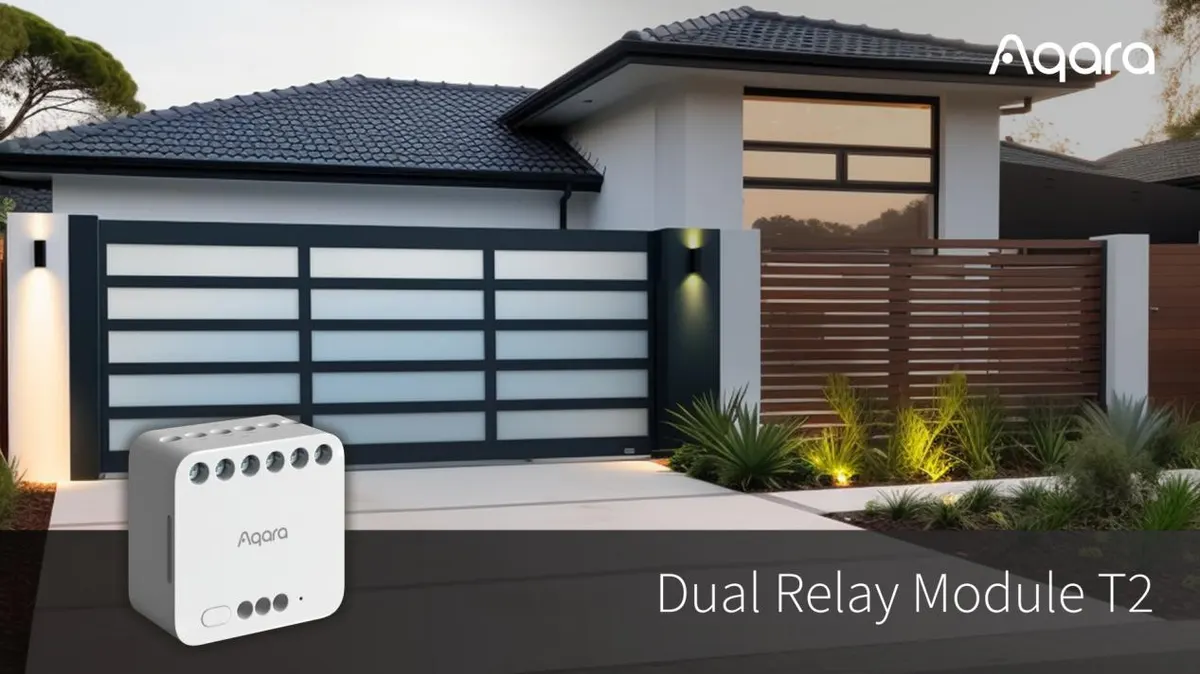
Aqara Dual Relay Module T2

Aqara / DCM-K01

Last checked

Aqara Dual Relay Module T2
Image: Aqara press materials

Does the Aqara Dual Relay Module T2 work with HomeKit, Alexa, and Google Home?

The Dual Relay Module T2 (DCM-K01) needs an Aqara Zigbee 3.0 hub, and reaches Matter through the hub's bridge.

It has two channels, rated 10 A combined. It suits HomeKit, Google Home and Alexa users through an integration (Zigbee). Home Assistant users reach it through an integration (a Matter bridge).

At a glance: works withHow this is decided: cited platform facts only
HomeKit
Yes[1]
Zigbee, via integration
Google Home
Yes[1]
Zigbee, via integration
Alexa
Yes[1]
Zigbee, via integration
SmartThings
Unknown
Unknown
Home Assistant
Matter via Bridge, via integration

Key facts

Aqara Dual Relay Module T2 facts

How facts are sourced: every cell cites its source below
Aqara Dual Relay Module T2 facts
FactValue
StatusCurrent[3][4]
List price$34.99[5] as of
GroupRelays[3][4]
RadioZigbee (3.0)[1][6]
Hub neededAqara Zigbee 3.0 hub[1]
Matter pathBridged via the Aqara hub[1]
Neutral wireunknown
Region and loadUS site. 100-250 V AC, max 10 A combined across two channels. DC 24-60 V ratings also listed.[1][6]
Power or batteryAC or DC supply[6]
Key differenceTwo relay channels in one module, 10 A total[1][6]
Releasedunknown

Integration paths

How the Aqara Dual Relay Module T2 connects

2 pathsHow facts are sourced: every cell cites its source below
How the Aqara Dual Relay Module T2 connects
PathRequiresiLocaliFeatures lostPlatformsi
Matter via BridgeAqara hub with Matter bridging[1]unknownunknown
Zigbee, needs HUBAqara hub[1]unknownunknown
About these columns
Requires
Hardware the path needs beyond the device and a controller.
Local
Yes when control on this path keeps working with the internet down.
Platforms
The platforms that work with the device on this path: Native (out of the box), Via integration (needs an add-on) or Not supported.

Home Assistant and Homey

Ways to add the Aqara Dual Relay Module T2

3 routesHow facts are sourced: every cell cites its source below
Ways to add the Aqara Dual Relay Module T2
PlatformLeveliIntegrationDetailsEvidenceLimitations
Home AssistantVia Matter bridge[1][2]matterMatter via Bridge
  • Quality: No score[1][2]
  • IoT class: Local Push[1][2]
  • Works with Home Assistant: Not certified[1][2]
Model namedLimited: HA notes there is no guarantee every bridged device works; Needs an Aqara hub with its Matter bridge enabled[1][2]
HomeyOfficial app (local)[7]com.xiaomi-miZigbee
  • App: Official[7]
  • Runs on: Homey Pro, Homey Cloud[7]
Model namedNone stated
HomeyCommunity app[8]ai.zigbee.aqaraZigbee
  • App: Community[8]
  • Runs on: Homey Pro[8]
Model namedNone stated
About these columns
Level
How the device gets into the platform on this route. The headline is the best route: local before cloud, direct before bridged, core before community. The methodology page lists every level.

Cite this page

Aqara Dual Relay Module T2. Smart Home Canon. https://smarthomecanon.com/devices/aqara-dual-relay-module-t2. Last checked 2026-10-20.
Sources

  1. [1]
    MFRaqara.com / Aqara: Dual Relay Module T2
    Accessed Back to text
  2. [2]
    DOChome-assistant.io / Home Assistant: Matter, using a Matter bridge
    Accessed Back to text
  3. [3]
    MFRaqara.com / Aqara US: Smart Controllers category listing
    Accessed Back to text
  4. [4]
    MFRaqara.com / Aqara global (en): Smart Controllers category listing (50 products)
    Accessed Back to text
  5. [5]
    MFRus.aqara.com / Aqara US store: Dual Relay Module T2
    Accessed Back to text
  6. [6]
    MFRaqara.com / Aqara US: Dual Relay Module T2 specs
    Accessed Back to text
  7. [7]
    DOChomey.app / Homey App Store: Aqara
    Accessed Back to text
  8. [8]
    DOChomey.app / Homey App Store: Aqara Community App
    Accessed Back to text